



MLM software features built to run the whole business
150+ tools covering commissions, genealogy, e-commerce, compliance, and distributor engagement — one connected platform instead of a dozen separate systems, built for binary, unilevel, matrix, and hybrid compensation plans.
No credit card · Full access · Free onboarding support
Explore the MLM software feature set
Jump directly to the capability area you need. Each section links to the relevant feature and service pages.
Core MLM Features
Every MLM business runs on the same financial backbone: get members in, track what they earn, and pay them accurately and on time. These ten features are the operational core of the platform — the parts that touch money and membership directly.
Commission Engine
Our MLM commission software calculates commissions across binary, unilevel, matrix, hybrid, and 15+ other plans, including fully custom structures. Our reconciled member ledger ensures accurate, timely payouts at any network size. Commissions trigger automatically on recruitment, rank advancement, purchases, renewals, or custom business events.
Referral Program
Every distributor gets a unique referral link plus ready-to-share assets: a dynamic tracking link, pre-formatted social posts, and a scannable QR code for in-person recruiting (trade shows, home parties, retail counters). Because the link auto-tags the referring distributor, sponsorship attribution happens without manual entry.
E-Wallet
A built-in digital wallet (e-wallet) holds each member’s commissions, bonuses, and refunds in one balance. From the wallet, members can buy products, transfer funds to another member’s wallet, or withdraw to a bank account or payout method — without earnings ever needing to leave the platform until the member chooses to cash out.
Wallet Summary
A running statement of every credit and debit against the e-wallet: source, date, amount, and transaction type. This is the record members check first when a payout looks wrong, and the one your support team pulls up to resolve the ticket in one screen instead of cross-referencing multiple reports.
Simple Signup
A one-page registration form that asks only for what’s required to activate an account — name, contact details, sponsor ID, and payment info. Cutting the form down from the typical multi-step MLM signup flow reduces drop-off during onboarding, which matters most in the first 60 seconds a prospect spends on your site.
E-Pin Generator
Generates prepaid activation codes (e-pins) that admins or top-level distributors can sell or issue for package purchases, renewals, or upgrades — common in markets where members prepay for stock or a starter kit before a formal wallet transaction. Each pin is single-use and tracked back to the account that redeemed it, closing the loop for reconciliation.
Earnings Overview
A breakdown of accumulated earnings by bonus type — unilevel commission, referral bonus, rank bonus, and any custom incentive you’ve configured — viewable by day, week, or a custom date range. Distributors use this to see which activities are actually driving their income, which in turn shapes what they do more of.
Payout Tracking
A dedicated view showing amount due, amount already paid, and amount still pending, with a graphical summary and support for multiple payout methods running side by side. Finance teams use this to reconcile payout runs; distributors use it to know exactly when to expect their money.
Flexible Payouts
Members choose how they get paid — PayPal, Stripe, bank transfer, or any payout method you’ve enabled — rather than being locked into a single option. Offering more than one payout rail also reduces the business risk of depending on a single processor.
Payout Compression
Compression skips inactive distributors when calculating a payout, passing commission up to the next qualifying (active) upline instead of letting it dead-end at an inactive account. The activity threshold that defines “qualifying” is fully configurable to match your specific compensation plan rules.
Network & Downline Management
A distributor’s downline is the core asset they’re building. This section covers how members see, navigate, and manage their position in the network.
Genealogy Tree
The visual genealogy tree of your MLM network — admin at the top, each distributor’s direct and indirect recruits branching below. It’s the single most-viewed screen in most MLM back offices, because it answers the question every distributor asks first: “who’s on my team, and where do they sit?”
Multiple Network Views
If you run more than one compensation structure — binary alongside unilevel, for example — each plan gets its own dedicated visualization rather than forcing every plan type into a single generic tree layout that doesn’t actually match how binary or matrix positions work.
Tabular Tree
A row-and-column alternative to the visual genealogy tree, built for members who want to scan levels and branches quickly rather than click through nodes one at a time — useful on smaller screens or when a distributor is auditing a large downline.
Tree Tooltip
Hovering or tapping a node in the genealogy tree surfaces that member’s key stats — rank, join date, recent activity — without leaving the tree view. This turns the genealogy tree from a static diagram into a working tool distributors actually use during a coaching call.
Sponsorship Overview
Shows a distributor every member they’ve personally sponsored, separate from their full downline. This is the number distributors track most closely day to day — it’s the direct measure of their own recruiting effort, independent of what their team does further down the tree.
Sponsor Change
Lets an admin (or, where policy allows, the member) move a distributor to a different sponsor — most often used to correct a placement error at signup, or to support a member who’s requested a move for legitimate business reasons. All sponsor changes are logged, since they directly affect downline commission flow.
New Members Overview
A feed of recent joins within a distributor’s downline. Seeing new names appear under their own team — not just company-wide — gives distributors a concrete, personal signal that their recruiting and their team’s recruiting is working.
Advanced Network Listings
A filterable, searchable searchable downline tracking list of both upline and downline members, with filters for rank, join date, activity status, and more. Where the genealogy tree is built for browsing, this view is built for finding — e.g., “show me every inactive member in my downline who joined in the last 90 days.”
Live Business Dashboard
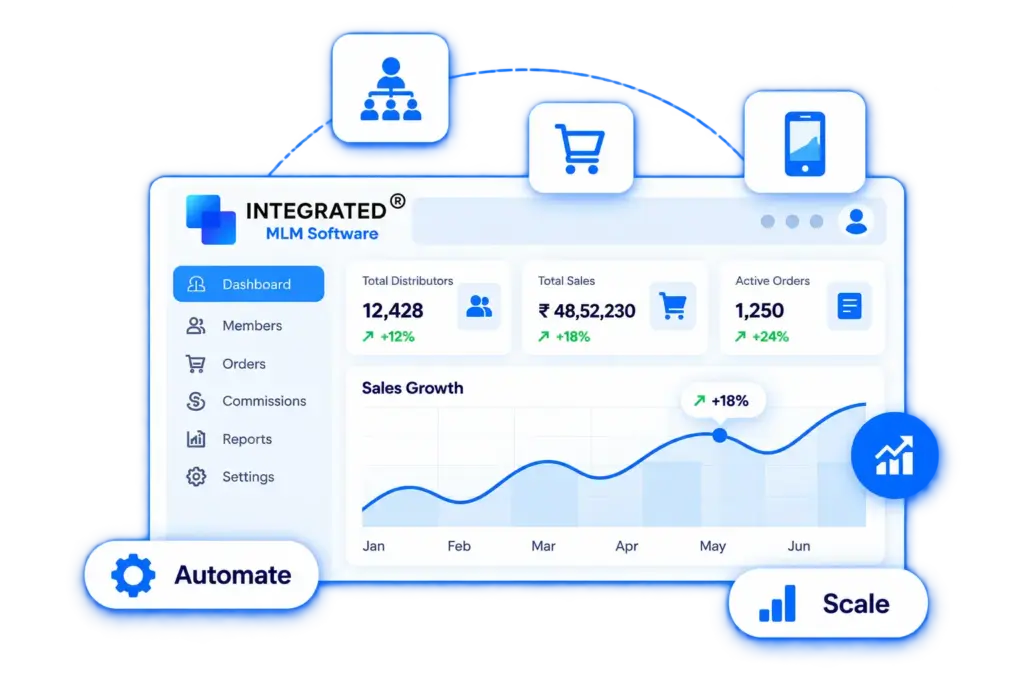
The dashboard is the first screen a distributor or admin sees, and it needs to answer “how’s my business doing right now” without requiring a report to be run.
Instant Insights
A live feed of bonuses and transactions as they’re calculated, rather than waiting for a scheduled report to refresh. Real-time visibility into “why did I just earn this” is one of the strongest trust builders in a compensation system — members who can see the math believe the payout.
Modern Interface
A clean, modern interface built specifically for MLM workflows, including commission tracking, network navigation, and order history. Unlike generic admin templates, every element is designed for distributors, making the back office easier to understand, navigate, and use, helping improve engagement and retention.
Live Interface
Sales figures, customer activity, and key business metrics update in real time on the dashboard, so decisions about promotions, stock, or outreach are based on current data rather than yesterday’s snapshot.
Summary Cards
At-a-glance cards for wallet balance, earned commissions, and payouts received sit at the top of the dashboard, so a distributor can check their status in seconds without navigating into a full report.
Predictive Analytics
Pattern analysis on historical sales and recruitment data to project likely trends — useful for admins planning inventory, promotions, or payout budgeting ahead of a seasonal spike rather than reacting to it after the fact.
Sales Tracker
Lets a company or team set a monthly sales target and track progress against it visually, turning an abstract revenue goal into a number distributors can watch move day by day.
Leaderboard
Ranks top recruiters and top earners across the network. Leaderboards are a well-documented driver of engagement in direct selling specifically, because recognition — not just commission — is a primary motivator for many distributors.
Live Commission Updates
Commission and transaction activity posts to the dashboard as it happens, rather than on a batch schedule. This matters most in the first weeks of a new distributor’s membership, when seeing quick, visible results is what keeps them active.
Product Sales & Checkout
Your e-commerce layer needs to work as a standalone storefront while staying fully connected to the compensation engine — every sale has to trigger the right commission.
Multi-Vendor Support
Host products from multiple vendors or brand partners inside one storefront, useful for MLM companies expanding their catalog through partnerships rather than manufacturing everything in-house.
Multi-Store Setup
Run region-specific storefronts, each with its own currency, language, and product catalog. A company selling in the US, Mexico, and Germany can present three storefronts that each feel local, rather than one generic international site with a currency dropdown.
Flexible Checkout Choices
Three checkout paths: guest checkout for a fast, no-commitment purchase; registration checkout for customers who want to become a distributor and start earning; and in-app checkout for mobile users who shouldn’t have to leave the app to complete a purchase.
Product Sharing
One-tap sharing of individual product links to social platforms and messaging apps, with the sharing distributor’s referral ID automatically attached — turning every product page into a potential commission-earning share.
Shipping Method Integration
Connects to shipping providers like ShipStation, FedEx, and Shippo so orders route through your existing fulfillment setup instead of requiring a separate manual shipping process.
Global Taxation
Applies the correct tax rate by product, region, or country automatically at checkout, and shows the customer a transparent total before they pay — important both for compliance and for avoiding checkout abandonment caused by surprise charges.
Physical & Digital Product Support
Sell physical inventory (supplements, cosmetics, apparel) and digital products (courses, software licenses, memberships) from the same catalog, so a hybrid product line doesn’t require a second system.
Multiple Payment Gateways
Support more than one payment gateway so customers can pay with their preferred method, and so a single gateway outage doesn’t stop checkout across your whole business.
Global Window Checkout
A single interface where members handle purchases, package upgrades, and renewals in one flow, with admins able to configure point value (PV), pricing, and payment gateway per region from the same panel.
Orders & Customer Management
Once an order is placed, someone on your team needs to be able to find it, understand it, and act on it fast — this section is built for support and operations staff.
Order Lookup
Search and retrieve any order from a database of thousands in seconds, using order ID, customer name, or date range — replacing the manual scroll-and-filter approach that slows down support tickets.
Customer Lookup
Pull up a customer’s profile, recent activity, and order history in one view, with the ability to make account changes directly from the same screen instead of switching between multiple tools.
Order Control
Update order status, add internal notes, and manage the fulfillment lifecycle from a single admin panel — giving your operations team full control without needing developer or database access.
Order Details View
A complete record of each order — status, items, point value (PV), and timeline — so both admins and the purchasing member always have a clear, shared reference for what was bought and when.
Reports & Business Analytics
Reporting is where a compensation plan gets audited, a sales strategy gets validated, and a finance team closes the books. These reports export cleanly for that purpose.
Bonus Report
A full record of every bonus and incentive paid out, broken down by type and payout date — the report finance teams pull first when reconciling payroll or answering a distributor’s payout question.
Joining Report
Tracks new member signups over time, giving you a clean growth-rate view for the business and a usable contact list for onboarding or reactivation campaigns.
Affiliates Report
Lists every active affiliate with contact details and purchased packages — useful for segmenting communications (e.g., targeting members who bought a starter kit but haven’t upgraded).
Purchases Report
Details every product and package purchase across the platform, letting you spot which products are actually driving revenue versus which are underperforming in the catalog.
Ranks Report
Tracks rank achievements and advancements across the compensation plan, giving you the data to trigger rank-based incentives and recognize members who’ve hit a new milestone.
Exportable Reports
Every report on the platform can be filtered by parameter and exported to Excel or CSV — for audits, board reporting, or feeding data into an external BI tool.
Sales Analytics
Tracks customer purchasing behavior and order volume over a chosen period, surfacing which products and time windows are driving the most sales activity.
Revenue Analytics
Analyzes income across every revenue stream — product sales, package upgrades, renewals — and the factors affecting growth, to help pinpoint where revenue is actually coming from.
Business Analytics
Compares total income against total expenses, including commission payouts, to give leadership a clear read on overall profitability rather than just top-line sales.
Profile & Account Settings
A distributor’s profile is the record of their entire relationship with the business — identity, activity, and financial history in one account. These tools keep that record accurate and give both members and admins a clear view of it.
Unified Profile
One screen for basic account info, password, avatar, and preferences — instead of scattering account settings across multiple menus.
Account Activity Log
A running log of a member’s recent purchases, transactions, and account actions, giving both the member and support staff a transparent activity trail.
Account Blocking
Lets admins suspend an account when fraud or policy violations are suspected — a necessary control for protecting both the company and other members from bad actors in the network.
Personalized Avatars
Members set a profile photo from their gallery or camera, adding a personal identity to their account — small, but it matters in a business built on personal relationships and community.
Localization & Global Settings
Most MLM networks cross a border within their first year or two. These settings let language, currency, and date conventions follow each member’s location instead of forcing everyone into a single regional default.
Multi-Language Support
Members choose their preferred display language from a supported set, so the back office feels native rather than translated as an afterthought.
Multi-Currency Support
Members transact in their local currency automatically — essential once your network expands past a single country, and something customers notice immediately if it’s missing.
Date Format Choices
Lets each member display dates in their region’s expected format, removing a small but real source of confusion (and payout disputes) in international teams.
Security & Account Control
Because the platform holds member funds, security features here need to do more than check a compliance box — this is where trust in the platform is won or lost.
Account Password Policy
Enforces password strength rules on every account to reduce the risk of unauthorized access from weak or reused credentials.
Wallet Password
A second, separate password specifically for wallet actions — withdrawals, transfers — so that access to the account login alone isn’t enough to move funds.
Security Shield (PIN/Biometric)
Adds PIN or biometric authentication (fingerprint or face ID on supported devices) as an extra layer beyond the standard password, particularly on the mobile app where quick, secure access matters most.
Multi-Factor Authentication
Members can log in via email, phone, or username, with password entry plus OTP verification required — standard multi-factor authentication that meaningfully reduces account takeover risk.
Compliance & Regulatory Tools
MLM is one of the most regulated business models in direct-to-consumer commerce. Regulators like the FTC in the US pay particular attention to income claims, refund policies, and whether compensation is tied to genuine retail sales rather than recruitment alone. These tools help you operate — and demonstrate that you operate — within those expectations.
Income Disclosure Statement Tool
Automatically compiles and publishes an income disclosure statement showing the real distribution of earnings across your distributor base. Many regulators expect this to be published and kept current; generating it directly from live payout data (rather than manually each year) keeps it accurate and audit-ready.
Policies & Procedures Management
A central place to publish, version, and require acknowledgment of your company’s policies and procedures document — the rules governing conduct, claims, refunds, and compensation that every distributor agrees to at signup. Version history means you can show exactly what policy was in effect at any point in time.
Retail Sales Verification
Tracks the ratio of retail (non-distributor) sales against total sales volume, which is a key factor regulators use to distinguish a legitimate direct selling business from a recruitment-driven scheme. Surfacing this ratio to compliance staff proactively — rather than discovering it during an audit — is the point.
Refund & Buy-Back Policy Enforcement
Applies your company’s refund and inventory buy-back rules automatically at the point of a return or cancellation request, ensuring the policy is applied consistently rather than case by case.
Replicated Distributor Websites
Every distributor effectively runs their own small storefront — a replicated website gives them one without any web design or hosting knowledge required.
Personal Storefront Generation
Each distributor gets a branded storefront, automatically generated from your master template, pre-loaded with your product catalog and their personal referral link. It’s live the moment they join — no setup step for the distributor to complete or skip.
Customizable Landing Pages
Distributors can adjust select elements of their page — a profile photo, a personal bio, a featured product — within brand guidelines you control, so the site still feels personal without going off-brand.
Built-In Lead Capture
Visitors to a distributor’s replicated site can opt in with their contact details, and that lead is automatically attributed to the distributor who owns the site — turning traffic into a trackable, owned contact list rather than an anonymous visit.
Mobile-Optimized Templates
Replicated sites render cleanly on mobile by default, which matters given that a large share of social-driven MLM traffic — from a shared link on Instagram or WhatsApp — arrives on a phone.
Autoship & Subscriptions
Recurring product orders are one of the most reliable revenue and retention levers in health, wellness, and beauty MLM — the categories where autoship is closest to a customer expectation rather than an upsell.
Recurring Order Scheduling
Customers and distributors set up automatic reorders on a chosen interval — weekly, monthly, or custom — so replenishment happens without a manual repurchase each cycle.
Autoship Management Dashboard
Members can view, pause, skip, or modify an upcoming autoship order from one screen, reducing the support burden of manual cancellation or change requests.
Failed Payment Recovery
Automatically retries a failed autoship charge and notifies the member, cutting down on lost recurring revenue from expired cards or temporary payment issues rather than silently dropping the order.
Loyalty Rewards on Autoship
Optionally attach bonus PV, discounts, or loyalty points specifically to autoship orders, giving members a concrete incentive to stay on a subscription rather than switching to one-off purchases.
API & Developer Tools
For companies that need the platform to talk to other systems — an existing CRM, a custom mobile app, or an accounting package not covered by a pre-built integration.
REST API Access
A documented REST API exposes core platform data — members, orders, commissions, genealogy — so your development team or an integration partner can build custom connections without waiting on us to ship a specific integration.
Webhook Support
Subscribe to real-time event notifications (new order, new signup, payout processed) so external systems can react immediately instead of polling for changes on a schedule.
Sandbox Environment
A testing environment mirrors production data structures without touching live member data, so integrations can be built and tested safely before going live.
API Rate Limits & Access Tokens
Scoped access tokens and clear rate limits keep API access secure and predictable, so a custom integration can’t accidentally overload the platform or access data it shouldn’t.
Training & Member Engagement
New distributors succeed or churn largely based on how well-supported they feel in their first weeks. This section covers the tools built for that period and beyond.
Events Notification
Keeps members informed of company events — product launches, conferences, local meetups — with location, date, host, and one-tap calendar add, so awareness of an event doesn’t rely on members checking a separate announcements page.
Educational Articles
A library of company-published articles covering product knowledge, selling technique, and compliance basics, giving members a self-serve way to build skill between formal training sessions.
Training Videos
A content hub built specifically for distributor engagement, similar to a built-in learning management system, where training videos, marketing tips, leader interviews, and brand content can be published directly within the software. Instead of relying on external platforms, distributors can access everything they need to learn, stay informed, and grow from one place.
Introductory Video
The first piece of content a new visitor sees, positioned to communicate your value proposition and company story before they scroll into feature details — a short, well-produced intro video measurably affects signup conversion.
Onboarding Guidance
A guided walkthrough of the back office for brand-new members, pointing out where to find the genealogy tree, wallet, and training library so the first login isn’t a confusing blank dashboard.
Admin Settings & Integrations
The back office needs to bend to your business rules, not the other way around. This section covers the admin-side controls for configuring the platform and connecting it to the other software your company already runs on.
Easy Setup
Configure compensation rules, payment methods, and bonus structures from a single admin panel, with changes taking effect without a development request or system downtime.
Customizable Templates
Build and edit email and SMS templates for every automated message the platform sends, in each supported language, so communications sound like your company rather than a generic system notification.
Third-Party Integrations
Connect to platforms like Shopify, WooCommerce, and other e-commerce, CRM, or accounting systems, letting you extend the platform’s functionality without replacing tools you already rely on.
Mobile App Experience
Most distributors run their business from a phone, not a desktop. Our MLM mobile app carries the full back office — genealogy, wallet, store, and training — into a format built for that reality, under your own brand.
Super App Switching
Move between the MLM console and the e-commerce storefront inside a single app, alongside built-in CRM, a support ticket system, and promotional tools — one app for both the business side and the shopping side of membership
Onboarding Screen
The first screen a new user sees on opening the app, introducing your compensation plan and member benefits before they land on the dashboard proper.
Push Notifications
Real-time alerts for bonus credits, payout releases, and admin announcements, keeping members informed of time-sensitive activity without needing to open the app and check manually.
White-Label Branding
Replace the default logo, app icon, and splash screen with your company’s own branding, so the app reads as yours rather than a generic third-party tool — this matters for member trust and for App Store/Play Store listing consistency.
Notification Preferences
Members choose which alerts they receive via push, email, or SMS for commissions, payouts, and order updates, and can toggle each channel independently rather than being locked into one delivery method.
Explainer Video
A short video walking through the app’s core features, used as an in-app resource for new users who’d rather watch a two-minute overview than read a help article.
Why businesses choose Integrated MLM Software
Four things come up in almost every buyer conversation, so we’ll state them plainly rather than let you infer them from a feature list.
One platform, every compensation plan
Binary, unilevel, matrix, hybrid, and more all run on the same commission engine, the same distributor profiles, and the same reporting tools — so a change in comp plan doesn’t mean a change in software.
Commission processing with zero manual calculation
Every bonus, override, and rank incentive is calculated the moment the qualifying event happens. Distributors see earnings in real time; admins run payouts without a spreadsheet in sight.
Full white-label MLM software & mobile app
A complete white-label solution with MLM admin and distributor dashboards, plus iOS and Android apps. Your logo, colors, and branding are built into the platform, so distributors download and use an app that carries your brand, not a third-party name.
Built for global operations from the start
Multi-language, multi-currency, and regional localization are core to the platform, not custom development. A network spanning two countries or twenty runs on the same setup.
FAQ
Have questions? Here’s what we hear most often.
-
Are these features available only on the mobile app, or also on the web?
No feature listed on this page is mobile-exclusive. The full platform runs as a web application accessible from any browser on desktop, laptop, or mobile, and the same functionality is also available through dedicated iOS and Android apps for members who prefer a native app experience.
-
Can I try the software before buying?
Yes. We offer a free, guided demo of the full platform — request a demo and we'll walk you through the features most relevant to your compensation plan and industry before you commit to anything.
-
Can the software be customized for my specific compensation plan or workflow?
Yes. The platform ships with support for binary, unilevel, matrix, and hybrid plans out of the box, and our team builds custom logic for compensation rules, workflows, or integrations that fall outside the standard configuration. Contact our team with your specific requirements to scope the work.
-
How do I evaluate whether MLM software is right for my business?
Look for five things specifically: support for your exact compensation plan type, availability across web, iOS, and Android, documented security practices for handling member funds, real customization ability rather than a fixed template, and responsive post-sale support — not just a sales demo.
-
How does MLM software actually help a business grow?
It automates the operations that don't scale manually — commission calculation, payout processing, and network reporting — and removes calculation errors that would otherwise damage distributor trust. That reliability is what lets a company add hundreds or thousands of new distributors without proportionally growing its back-office headcount.
-
What's the difference between commission calculation and payout processing?
Commission calculation determines how much each member has earned based on the compensation plan's rules — sales volume, rank, team performance. Payout processing is the separate step of actually transferring that earned amount to the member through their chosen method. The platform handles both, but they're distinct steps, and separating them is what allows for features like payout compression.
-
What is a genealogy tree in MLM software?
A genealogy tree is the visual map of your distributor network — every member's position, their sponsor above them, and their recruits below. It's how admins and distributors navigate the network, check placement, and verify who reports to whom. This platform offers several views of it, including a standard tree, a tabular view for large networks, and plan-specific layouts for binary, unilevel, and matrix structures.
-
What is payout compression, and why does it matter?
Compression is what happens when an inactive distributor sits in the payout chain between two active ones: instead of the commission stalling on a dormant account, it passes through to the next active upline. Without it, payouts can get quietly absorbed by accounts that aren't participating, which erodes trust in the compensation plan over time.
-
Which compensation plans does the software support?
Binary, unilevel, matrix, generation, monoline, stair-step, board, party, hybrid, and investment plans are all supported, and many companies run more than one plan type at once. Each plan gets its own dedicated network view, commission logic, and reporting — you're not forced to bend one plan's mechanics to fit another's structure.
-
Is the platform available as a white-label mobile app?
Yes. Both the iOS and Android apps carry the full feature set — genealogy tree, wallet, store, training library, notifications — and ship with white-label support, so the logo, icon, and splash screen your distributors see are yours, not ours.
-
Can the platform handle distributors and customers spread across multiple countries?
Yes. Multi-currency transactions, multi-language switching, and regional date formatting are core parts of the platform, not paid add-ons or custom builds. A network operating across ten countries runs on the same setup as one operating in a single country — the localization layer handles the difference.
Built on Real MLM Software Experience
Integrated MLM Software is developed around the practical needs of MLM and direct selling businesses, with experience across different compensation plans, business models, integrations, and global operations.
See the full platform in action
Every feature on this page is part of one connected system, not an add-on you’ll need to configure separately. The fastest way to know if it fits your business is to see it running against your own compensation plan.
