Integrated MLM logo, representing our comprehensive network marketing software solutions.

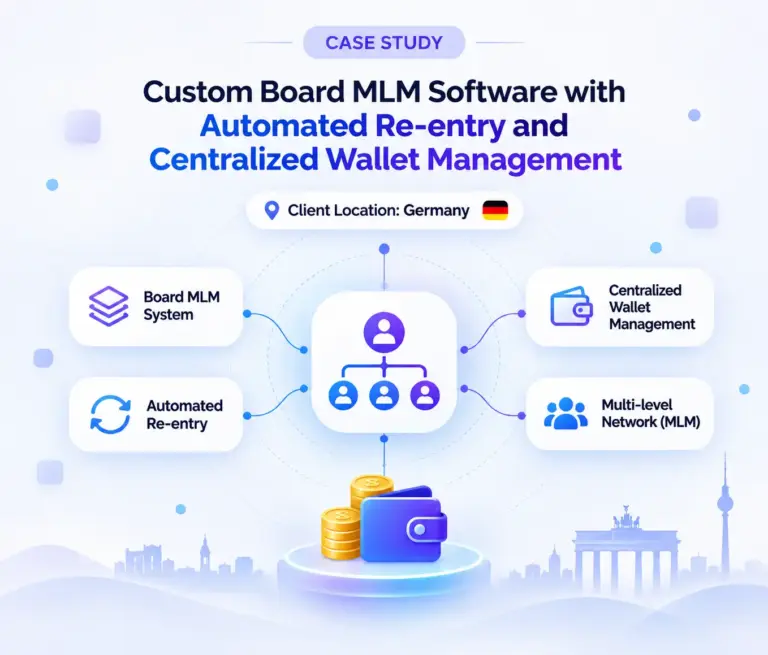
Custom Board MLM Software with Automated Re-entry and Centralized Wallet Management

We customized an existing board plan for a Germany-based client so that completing a 3×3 board automatically creates a re-entry.

Every re-entry has its own identity (Albin 1, Albin 2 and so on), stays linked to the original member through the parent relationship, and credits its commissions to the original member’s wallet. The software records the exact node each commission came from.

The project also covered Member ID-based referral links, board settings and board view, automatic payout and a German-language interface, and it was built for a Linux server.


Board MLM software solution developed for a German client

Project at a Glance

Client Confidential client
Client Location Germany
Industry Community-based network
Project Type Custom MLM software development (customization of an existing board plan)
Board Structure 3×3 board
Key Customizations Automated re-entry, multiple re-entry identities, parent relationship management, centralized wallet attribution, commission source traceability
Language German-language interface
Payout Automatic payout, credited to the original member's wallet
Administration Member list, board settings, board view, full downline view with ranks
Member Features Referral list, Member ID-based referral link, downline view for Levels 1 and 2
Server Environment Linux server

Client Testimonial

In this video, our client talks about why he chose our board MLM software and the customized solution delivered by our development team.

What did the client need from the software?

The client, based in Nuremberg, Germany, approached us with a one-page compensation plan and a request for custom MLM software development built around it. In his plan, each sponsor brings in three members, and each of those members does the same. Group commissions, labelled X, Y and Z, are calculated by our MLM commission software at defined levels of that structure, and a member can re-enter once the structure is complete.

On top of the plan logic, the client listed the following operational requirements:

  • Level-based group commissions (X, Y and Z)
  • Re-entry after the structure is completed
  • Automatic payout
  • An autoresponder
  • A referral list and a referral link built from the Member ID
  • Board settings and board view
  • An administrator member list
  • A full downline view with ranks for the administrator
  • A downline view limited to Levels 1 and 2 for members
  • German language
  • Centralized wallet attribution for re-entries
  • Commission source traceability
  • Development for a Linux server

Reading the plan, we saw that the hard part was not the 3×3 structure itself. It was how re-entries should behave: how each one is identified, who owns it, and where its commissions are credited.

What custom development did we deliver on top of the board plan?

We started from our existing board plan, which is described on our Board MLM Plan page, and customized it for this client. The table below lists the project-specific work.

Customization What it covers
Custom board configuration The existing board plan adapted to the client's rules.
Board implementation The 3×3 board completion process.
Automated re-entry A re-entry is created automatically when a board is completed.
Multiple re-entry identities Original and re-entry nodes are separately identifiable, for example Albin, Albin 1 and Albin 2.
Parent relationship management Each re-entry keeps the original parent relationship.
Centralized wallet attribution Re-entry commissions are credited to the original member's wallet.
Original account payout privileges Re-entry accounts have no independent payout privileges.
Commission source traceability The exact node that generated each commission is tracked.
Continuous re-entry workflow Completing a re-entry board automatically triggers the next re-entry.
Administrative visibility Tracking tools for both members and administrators.

How does automated re-entry work in this software?

When a board is completed, the system creates the next re-entry on its own. Completing that re-entry’s board triggers the one after it, so the cycle continues without manual steps.

Each re-entry is a separate node with its own identity, but it is never a separate member. Using our example member, Albin:

  • Albin is the original member.
  • Albin 1 is the first re-entry.
  • Albin 2 is the second re-entry, and so on.

This lets one member hold several board positions while the network still treats him as a single account.

Member Board View – 3x3
Visual representation of a member board view in a 3x3 grid layout, showing the arrangement of content in a structured format.

How are re-entry commissions attributed to the original member?

Centralized Wallet Attribution is one of the project’s core customizations. The key design decision was to separate who a node is from who owns the money. A re-entry keeps its original parent relationship, so the system can always resolve which original member it belongs to.

Board identity

  • Albin, Albin 1, Albin 2 are separate nodes
  • Each has its own position in the board
  • Each keeps the link to its original parent

Wallet and payout ownership

  • One wallet, held by the original member
  • Re-entry nodes have no independent payout privileges
  • Commissions from any re-entry go to the original wallet

For example, when Albin 1 reaches a commission milestone, the system follows the parent relationship to Albin and credits Albin’s original wallet. Payout privileges stay with Albin.

Member board re-entry view showing the process of re-entering members into the board
Screenshot illustrating the member board re-entry feature, showing how members can be re-entered into the board management system.

How does the system show where each commission came from?

Commission Source Traceability was the second core customization. Crediting everything to one wallet could hide where the commissions come from, so the software tracks the exact node that generated each commission.

When Albin reviews his commission history, he can see whether a commission came from his original board, Albin 1, Albin 2 or a later re-entry. Administrators can review the same records through the administrative interface.

Commission records displaying the originating node for each transaction
Screenshot showing commission records with the originating node identified for each transaction, helping administrators/members trace commission sources and understand the transaction origin.
Member referral link and list of referred members displayed in the dashboard
Screenshot showing a member's unique referral link and referral list, allowing members to share referral links and track the users registered through their referrals.

Referral list and Member ID-based referral link

Each member has an individual referral link built from the Member ID, plus a referral list for identifying the members they referred. This keeps member relationships organized and easy to follow.

Board settings and Board view

Administrators configure the board through board settings and review it through the board view. This is where the customized 3×3 structure and its completion handling are managed.

Administrator board settings screen for configuring and managing board options
Screenshot showing the administrator board settings interface, allowing administrators to configure board options, manage settings, and control board-related functionality.
Administrator board dashboard displaying member records with a search feature
Screenshot showing the administrator board view with an integrated search feature, allowing administrators to quickly find and manage member records and access relevant board information.
Administrator payout settings screen for configuring member commission and payout options
Screenshot showing the administrator payout settings interface, allowing administrators to configure payout methods, manage commission payments, and control member withdrawal settings.

Automatic payout

Automatic payout was a requirement in the client’s brief. Payout privileges stay with the original member account, and re-entry nodes do not receive independent payouts.

German language

Alongside other MLM software features, the software includes a German-language interface, which suits the client’s Germany-based operations and was part of the project scope.

Application displaying the user interface in German language
Screenshot showcasing the application interface in German, demonstrating localized menus, navigation, labels, and content for German-speaking users.

What can administrators and members see?

Visibility differs by role, as the client specified.

Role Available Views
Administrator Member list, board settings, board view, full downline view with ranks, commission records with their source nodes
Member Referral list, referral link based on Member ID, downline view for Levels 1 and 2, own commission history with source nodes
Administrator downline view showing member name, sponsor, level, joined date, total commission received, and level-wise username tree with filters
Screenshot showing the administrator downline management interface with a level-wise member network. Administrators can view member names, sponsors, membership levels, joining dates, and total commissions received.
Member downline view showing sponsored members, levels, and referral tree structure
The screenshot shows all downline members along with their respective placement levels, joining dates, and placement sponsor names. It also includes level-wise filtering options, allowing users to easily view and manage members based on their network levels.

Was the software built for a Linux server?

Yes. As requested by the client, the MLM software was developed to run on a Linux server and deployed on their own server in Frankfurt, Germany, following our established MLM software security practices. This deployment requirement was considered from the planning stage and included in the agreed project scope at no additional cost.

How did our team approach the development?

We treated board completion, re-entry creation, parent relationships and wallet crediting as one connected workflow instead of separate features. The work moved through requirement analysis, workflow planning, board configuration, relationship management, commission attribution and administrative visibility. Keeping these parts linked is what keeps a re-entry’s identity, its owner and its commission source consistent across member and administrator views.

Project outcome

The finished customization lets the client run multiple board entries under one original member account. It brings together:

  • A customized 3×3 board workflow
  • Automatic and continuous re-entry creation
  • Separately identifiable re-entry nodes
  • Preserved parent relationships
  • Centralized wallet ownership with no independent re-entry payouts
  • Commission attribution to the original member, with source traceability
  • Referral list and Member ID-based referral link
  • Board settings, board view and automatic payout
  • A German-language interface
  • Administrator and member views as specified by the client

The main result is a single-account, single-wallet structure that still gives every re-entry a distinct identity.

Need custom MLM software built around your own plan?

Share your requirements with our team and we will discuss how they can be implemented.

WhatsApp