


If you’re using HubSpot for your business, you’ve likely realized it works well for managing leads and sales but starts falling short when it comes to handling referral networks and commission structures.
We’ve seen many teams try to manage both within a single system only to run into limitations as their network grows. That’s where the gap becomes clear.
You need a setup where both systems work together without overlap. In this guide we’ll walk through how MLM software integrates with HubSpot, what features to look for, and how to set it up in a way that actually supports your growth.
What HubSpot Can and Cannot Do for Network Marketing
HubSpot works well for capturing leads, managing follow-ups, and tracking how prospects move through your sales pipeline. The problem is that it’s built for linear sales relationships — one contact, one deal, one stage.
MLM businesses work differently. You have distributors connected across multiple levels, genealogy trees that grow as people recruit, and commissions that need to flow up and down those structures. HubSpot has no native way to handle any of that.
To run and grow your network marketing business properly, you need a separate MLM platform that manages these structures alongside HubSpot — not instead of it.
| Capability | HubSpot Alone | With MLM Software Integration |
|---|---|---|
| Lead Management | ✅ Fully supported | ✅ Fully supported |
| Deal & Pipeline Tracking | ✅ Fully supported | ✅ Fully supported |
| Referral Tracking | ❌ Not available | ✅ Built-in referral system |
| Downline Structure | ❌ Not supported | ✅ Structured genealogy tracking |
| Commission Calculation | ❌ Not available | ✅ Automated commission engine |
| Distributor Role Management | ❌ Not available | ✅ Role-based access and earnings |
What Is HubSpot MLM Integration?
HubSpot MLM integration connects your CRM with a dedicated MLM platform so both systems share data in real time — without manual syncing or duplicate entry.
The setup divides responsibilities cleanly:
- HubSpot manages contacts, pipelines, email sequences, and purchase records.
- MLM software manages distributor roles, downline structures, referral chains, and commission logic.
When a transaction is recorded in HubSpot, a webhook fires and sends that data to the MLM system, which then calculates commissions based on your compensation plan and updates each distributor’s dashboard automatically.

HubSpot MLM Integration Architecture
Here is how data moves through a connected HubSpot and MLM system:
- User registers via the MLM platform and selects a role (e.g., Distributor or Customer)
- MLM software creates a corresponding contact in HubSpot via API
- HubSpot manages onboarding workflows, product access, and purchase tracking
- When a purchase is recorded, HubSpot sends transaction data to the MLM system via webhook
- The MLM commission engine calculates earnings across the relevant referral chain
- Distributor dashboards update automatically with commission and network activity
Key Features of MLM Software That Integrates with HubSpot
Not all MLM platforms offer the same depth of HubSpot compatibility. These are the features that matter most when evaluating options:
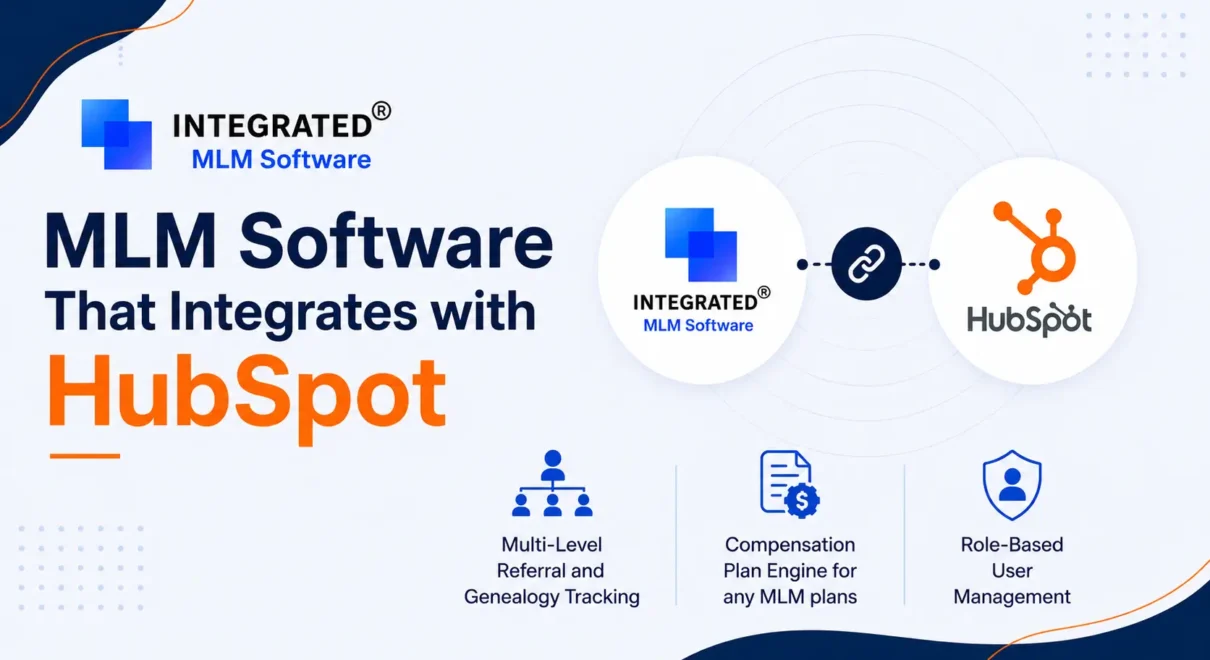
1. Role-Based User Management
The system should support multiple user types — distributors, affiliates, customers — each with distinct permissions and earning eligibility. This keeps your network organized and prevents unauthorized access to commissions or referral tools.
2. Multi-Level Referral and Genealogy Tracking
Every user’s position in the downline tree should be clearly mapped and queryable. The system should handle enrollment relationships across however many levels your compensation plan supports.
3. Compensation Plan Engine
Commission rules should be configured once and applied automatically. Look for support for common structures like unilevel, binary, and matrix plans, as well as custom hybrid models. Manual commission calculation does not scale.
4. Bidirectional HubSpot Sync via API and Webhooks
Data should flow both ways in real time. New registrations push contacts into HubSpot; purchases recorded in HubSpot trigger commission processing in the MLM system. A one-way integration creates gaps.
5. HubSpot Workflow Triggers
The integration should allow HubSpot automations to fire based on MLM events — for example, triggering an onboarding email sequence when a new distributor registers, or moving a contact to a different pipeline stage after their first purchase.
6. Unified Reporting Across Both Systems
Administrators should be able to view network performance metrics (downline size, referral volume, commission totals) alongside CRM metrics (conversions, deal value, lifecycle stage) without switching tools or exporting spreadsheets.
7. Compliance and Verification Controls
User verification workflows, approval gates, and eligibility checks should be configurable within the MLM platform to ensure only qualified users participate in commission-eligible activity.
8. Real-Time Distributor Dashboards
Distributors should have self-service visibility into their own earnings, referral network, and activity history. This reduces support queries and builds trust in your compensation plan.
How to Implement HubSpot MLM Integration: A Four-Phase Setup Guide
A successful integration is as much about planning as it is about technical configuration. Rushing to connect systems before defining your business rules is one of the most common causes of commission errors and data inconsistencies.
Phase 1: Define Your Business Rules
Before connecting any systems, document the logic your integration will enforce:
- User roles: Who can refer others? Who is eligible to earn commissions? What access does each role have?
- Referral logic: How many levels deep does your referral chain run? What triggers network placement
- Earning triggers: Does a signup generate income, or only a qualifying purchase? Are there rank bonuses or milestone payouts?
- System division: What data lives in HubSpot versus the MLM platform? Where does the source of truth sit for each data type?
Ambiguity at this stage leads to incorrect payouts and difficult-to-fix data structures later.
Phase 2: Configure the Integration and Data Flow
Once business rules are documented, configure how data moves between systems:
- Registration sync: New MLM registrations should automatically create contacts in HubSpot with role, referral source, and lifecycle stage populated
- Contact updates: Status changes, role upgrades, and engagement milestones should sync bidirectionally so both systems stay current
- Purchase events: Transactions recorded in HubSpot should trigger webhooks that deliver buyer identity, purchase amount, and referral association to the MLM platform
Phase 3: Configure Compensation Logic
With data flowing correctly, apply your commission rules within the MLM platform:
- Select and configure your compensation plan structure (unilevel, binary, custom)
- Define earning conditions: which transaction types generate commissions, at which levels, and at what rates
- Map sales records from HubSpot to the correct referral chains in the MLM system
- Set eligibility rules: active status requirements, verification conditions, role-based earning access
Phase 4: Test Before Going Live
Run structured tests across these four scenarios before onboarding real users:
- Registration flow: Create test users and confirm HubSpot contacts are created with correct data
- Referral tracking: Register users under different sponsors and validate the downline hierarchy
- Commission processing: Simulate purchases and verify commissions are calculated and assigned correctly at each level
- Edge cases: Test missing referral links, duplicate entries, and role misassignments — these will happen in production
Benefits of Integrating MLM Software with HubSpot
One of our clients was using HubSpot to manage their workflow for a learning platform with a referral-driven model. User onboarding, course purchases, and commission tracking were handled across disconnected systems — which meant manual reconciliation and frequent errors.
We connected their HubSpot CRM with an MLM platform using a Unilevel compensation plan. Transactions recorded in HubSpot were automatically mapped back to user roles and referral chains, commissions were calculated based on actual purchase activity, and both the business and its distributors had real-time visibility into earnings and network performance.
That outcome reflects what this integration changes across the business:
- Clear visibility across leads, sales, and network activity: When the systems are connected, you can trace a user’s full journey — from lead to customer to distributor — without switching tools or joining spreadsheets.
- Accurate and consistent commission tracking: Every transaction is automatically tied to the correct user and referral chain. The chances of a payout error drop significantly.
- Better alignment between marketing and network growth: HubSpot brings in leads and converts them. The MLM system turns those conversions into distributor growth. When both are connected, these goals reinforce each other.
- Less manual work and fewer data inconsistencies: Contact records, purchase events, and commission triggers are all synced automatically. No one is copying data between systems.
- Faster decisions with connected data: When sales data and network data live in the same pipeline, it’s easier to see what’s working and where to focus.
Read the full Bid Akademie HubSpot and MLM integration case study to see how automated onboarding, purchase tracking, and commission calculations were implemented in a single connected workflow.
Things to Consider Before Integrating HubSpot with MLM Software
A well-planned setup avoids most of the problems that come up after launch. Before you start connecting systems, think through these areas:
- User roles and network structure: Make sure every role is clearly defined along with how they connect in your network. Without this, referral tracking and commission distribution become inconsistent.
- Compensation plan and earning rules: Your payout logic should be fully documented before integration. Unclear rules lead to incorrect payouts and distributor complaints.
- Clear division between systems: Decide what HubSpot owns and what the MLM platform owns. Overlap creates confusion. Clarity creates a system that actually runs itself.
- Integration compatibility: Check that the MLM software can properly connect with HubSpot — via API and webhooks — and handle the data volume your business generates.
- Data consistency: Both systems need to stay in sync when user records, transactions, or statuses change. Define what happens when a sync fails before it actually does.
- Scalability: The integration that handles 200 distributors today should also handle 2,000. Make sure you’re not building a setup that breaks when growth picks up.
Conclusion
Connecting MLM software with HubSpot lets you manage customer activity and network operations without keeping them in separate silos.
HubSpot handles marketing and customer activity. The MLM system handles referrals and earnings. When both work together, you get accurate data, less manual work, and a clearer picture of how your business is growing.
As your network scales, that structure matters more — not less. For businesses building out network marketing operations, this combined approach is a more practical foundation than trying to make one tool do everything.
Frequently Asked Questions
-
Do I need a developer to set up HubSpot and MLM integration?
Not always. MLM platforms include guided HubSpot setup or pre-built connectors. If your compensation plan is complex or involves custom webhook logic, technical support will reduce the risk of configuration errors.
-
Can I update my compensation plan after the integration goes live?
Yes, but changes should be made carefully. Updating commission rates or eligibility rules affects existing users and historical records. Test changes in a staging environment before applying them to production.
-
What happens if data stops syncing between the two systems?
Sync failures can cause missing contacts, broken referral chains, or incorrect commission calculations. Set up monitoring and error alerts on your webhook endpoints, and run regular reconciliation checks, especially in the early weeks after launch.
-
Can I run multiple products with different commission structures?
Yes. A properly configured MLM platform can support multiple product lines, each with distinct earning rules. Define which products contribute to commissions and at what rates during Phase 3 of your setup.
-
How do I identify top-performing distributors?
Combine data from both systems: HubSpot surfaces conversion rates, deal value, and customer lifetime value, while the MLM platform tracks referral volume, downline size, and commission earnings. Together, these give a complete picture of distributor contribution.
-
Is it possible to migrate from an existing MLM system to a HubSpot-integrated setup?
Yes, but migration requires careful planning. User records, genealogy structures, and commission history all need to transfer without breaking existing relationships. Map your current data model against the new system before you begin moving records.