

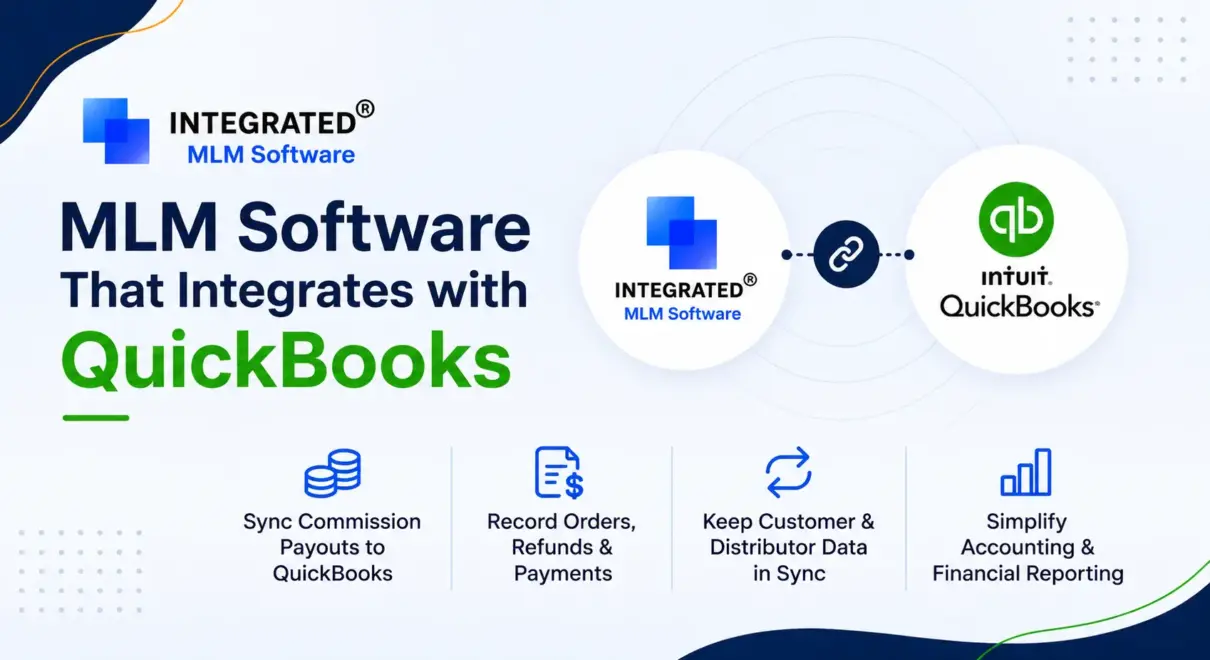
Run your network in the MLM software. Run your books in QuickBooks. Our MLM software with QuickBooks integration syncs customers, sales orders, payments, refunds and commission payouts automatically, so your accounting team gets audit-ready, tax-ready data without exporting, copying or reformatting a single report.
Built for binary, unilevel, matrix and every other compensation plan. White-labeled, deployed on your own server, tested up to one million users, and backed by one year of free support.
Why MLM companies need QuickBooks integration
Every network marketing company runs two businesses at once. The first is operational: onboarding distributors, tracking sales, calculating commissions and paying them out. The second is financial: knowing whether the company is profitable, reconciling bank accounts, paying staff and suppliers, and filing taxes correctly. MLM software with QuickBooks integration connects these two businesses so neither team has to do the other’s work.
MLM software is the sales and commission engine
Your MLM software handles commission calculation, e-wallet management, PV/BV tracking, product and package management and network genealogy. It is the system your operations team and distributors live in every day. It is not designed to produce a corporate balance sheet.
QuickBooks is the financial headquarters
QuickBooks for MLM business accounting holds your company’s complete financial picture: the balance sheet, profit and loss statement and cash flow reports. It also tracks the costs an MLM software never sees, such as office rent, employee payroll, software and server bills, marketing spend, and product manufacturing or purchasing costs. In markets like the US and Europe, your CPA, auditor and tax filings depend on this data. For example, US companies that pay distributors above the IRS threshold must issue Form 1099-NEC, and those payout figures need to be correct in your accounting system.
The gap: manual exports and reformatting
Without an integration, the MLM software already holds the reports, but your accounting team must export them and reformat them to suit QuickBooks and legal reporting requirements. This is slow, repetitive and error-prone. QuickBooks integration for MLM software removes the step: data moves through an API integration in the form your accountants need
MLM software vs QuickBooks: what each system is for
| Feature | MLM Software | QuickBooks |
|---|---|---|
| Main purpose | Network, commission and payout management | Complete company accounting and tax |
| Used by | Admin team and distributors | Company accountant, CPA and auditor |
| Key outputs | Genealogy, commission reports, e-wallet balances | Balance sheet, P&L, cash flow, tax reports (1099) |
| Also covers | PV/BV tracking, product and package management | Payroll, rent, supplier bills, bank reconciliation, COGS |
How does MLM QuickBooks integration work?
The connection is configured from inside the MLM software’s admin panel. There is a built-in option to connect QuickBooks. You provide your QuickBooks credentials (Client ID and Secret Key), then choose which events and data should flow across. Once configured and tested, the sync runs on its own.

Step 1: connect QuickBooks from the admin panel
Open the MLM admin panel, go to the QuickBooks integration and enter your QuickBooks account credentials. This links your MLM software to your QuickBooks company file. If you prefer not to do it yourself, our development experts will make the connection for you.
Step 2: configure data mapping and sync settings
Next you decide what moves and when. The integration is event-based, and four events cover most MLM accounting needs:
- Customer and distributor onboarding. When a new customer or distributor registers, their record is created in QuickBooks.
- Product and package purchases. Each paid order becomes a sales receipt linked to the correct customer, with line items, shipping and tax.
- Order cancellations and refunds. Reversals are recorded so your books stay accurate.
- Commission payouts. When distributors are paid, the payout is recorded in QuickBooks.
Step 3: test the integration
After configuration, test the sync and confirm that records reach QuickBooks as expected, before relying on it for daily accounting.
Step 4: let it run
Most deployments use a daily automatic sync. Admins can also trigger a manual sync at any time and monitor the status from the admin panel. Operations teams keep working in the MLM software, and accountants receive their data in QuickBooks without opening the MLM system.
Key features of QuickBooks integration for MLM software
The integration is designed specifically to support MLM business management. It is not a generic connector retrofitted to network marketing. Together they let you automate MLM accounting with QuickBooks instead of rebuilding reports by hand.
1. Sales and order synchronization
Every sales order generated in the MLM software syncs to QuickBooks automatically. That includes package purchases, product purchases and the related orders, so your sales receipts always reflect what was actually sold.
2. Customer data syncing
When a customer or distributor is onboarded, their information is recorded in QuickBooks at the same time. When a sale is created later, it is mapped to the matching customer record, keeping receivables and sales history clean.
3. Payment and transaction recording
MLM software typically supports multiple payment gateways. Whichever supported payment method a customer uses, the payment record and transaction details are captured and synced, which makes bank and gateway reconciliation far easier.
4. Commission payout recording
When a distributor earns commission and is paid out, the payout is recorded automatically in QuickBooks. It is set up in the way your tax, audit and legal requirements need it, so year-end reporting does not depend on someone rebuilding payout totals by hand.
5. Automatic and manual sync options
A daily cron job is the usual setup on MLM projects, but “end of day” is not fixed. You can define the sync frequency that suits your business. Admins can also click Sync at any time to push all data up to that moment into QuickBooks.
6. Sync status monitoring
The admin panel shows when the last sync happened and whether it succeeded or failed, so problems are visible immediately.
What data can sync between MLM software and QuickBooks?
Data syncs in one direction: from the MLM software to QuickBooks. This is deliberate. The MLM system is where transactions are created and updated, and QuickBooks acts as the accounting and reporting tool that records them. Only the details needed for accounting are sent.
| Data | What Is Synced | Recorded in QuickBooks As |
|---|---|---|
| Customer and distributor details | First name, last name, address, email, phone; SSN or Tax ID where needed for tax and legal purposes | Customers (buyers) and Vendors (commission-earning distributors, 1099 enabled) |
| Sales and order details | Order ID, order amount, product or package details | Sales receipts |
| Payment transactions | Transaction ID, reference code, payment method, date and amount | Payment records |
| Refunds and cancellations | Cancelled orders and refunded amounts | Refund receipts |
| Commission and payouts | Commission earned and payout history for each distributor | Expense (check payment) against the distributor vendor |
| Tax information | Tax charged on sales; distributor payout totals for forms such as US 1099 | Tax data and reports |
Why one-way sync is the right design
MLM software is the source of truth for sales, commissions and customers. QuickBooks behaves like a reporting tool for those facts. Keeping the flow one-way prevents accounting edits from overwriting network data and keeps both systems predictable.
How our MLM software connects to the QuickBooks Online API
Our MLM software with QuickBooks integration uses the QuickBooks Online (QBO) v3 REST API and a scheduled daily cron job. The sync is one-way and deliberately narrow. Instead of filling your books with inventory detail or micro-transactions, it posts only core financial events, sales tax data and the payout records you need for 1099 distributor reporting. Each call is made against your QuickBooks company (its realmId).
| Business Event | Trigger | QuickBooks Endpoint | Result in QuickBooks |
|---|---|---|---|
| Customer onboarding | A customer completes a purchase | POST /v3/company/{realmId}/customer | Customer |
| Distributor onboarding | A distributor qualifies for a payout | POST /v3/company/{realmId}/vendor | Vendor with 1099 enabled |
| Product or package sale | Order paid and completed (including autoship) | POST /v3/company/{realmId}/salesreceipt | Sales receipt with tax |
| Cancellation or refund | Admin refunds or cancels an order | POST /v3/company/{realmId}/refundreceipt | Refund receipt |
| Commission payout | Payout approved and released | POST /v3/company/{realmId}/purchase | Check expense on the vendor |
| Initial setup | One-time account mapping | GET /v3/company/{realmId}/query | Chart of accounts list |
Sample values below are illustrative. In every case the system saves the ID that QuickBooks returns against the record in the MLM database, which marks it as synced and prevents duplicates on later runs.
1. Customer and distributor sync
Buyers are created as Customers. Commission-earning distributors are created as Vendors with Vendor1099 enabled and their Tax ID (SSN or EIN) mapped, so year-end US 1099-NEC filing starts from clean data.
Vendor request and response (JSON)
POST /v3/company/{realmId}/vendor
{
  "DisplayName": "Jane Smith (Dist: 20089)",
  "GivenName": "Jane",
  "FamilyName": "Smith",
  "PrimaryEmailAddr": { "Address": "[email protected]" },
  "Vendor1099": true,
  "TaxIdentifier": "123-45-6789"
}

Response (trimmed)
{ "Vendor": { "Id": "62", "Vendor1099": true, "Active": true, "SyncToken": "0" } }
2. Product purchases and package sales
Each paid order creates a sales receipt with line-item pricing, shipping charges and a tax breakdown mapped to your region’s tax codes. Every line references a QuickBooks item (ItemRef), which the QBO API requires.
Sales receipt request and response (JSON)
POST /v3/company/{realmId}/salesreceipt
{
  "CustomerRef": { "value": "58" },
  "TxnDate": "2026-11-21",
  "DocNumber": "ORD-99812",
  "Line": [{
    "DetailType": "SalesItemLineDetail",
    "Amount": 100.00,
    "Description": "Starter Wellness Pack",
    "SalesItemLineDetail": {
      "ItemRef": { "value": "12" },
      "Qty": 1, "UnitPrice": 100.00,
      "TaxCodeRef": { "value": "TAX" }
    }
  }],
  "TxnTaxDetail": { "TotalTax": 8.25 }
}

Response (trimmed)
{ "SalesReceipt": { "Id": "1045", "DocNumber": "ORD-99812", "TotalAmt": 108.25, "SyncToken": "0" } }
3. Cancellations and refunds
A refund receipt is tied to the original customer and your designated bank or clearing account. It reverses both the product revenue and the sales tax, and is linked to the cancelled order in the MLM database.
Refund receipt request and response (JSON)
POST /v3/company/{realmId}/refundreceipt
{
  "CustomerRef": { "value": "58" },
  "TxnDate": "2026-11-21",
  "DocNumber": "REF-99812",
  "DepositToAccountRef": { "value": "35" },
  "Line": [{
    "DetailType": "SalesItemLineDetail",
    "Amount": 100.00,
    "Description": "Refund for Starter Pack",
    "SalesItemLineDetail": {
      "ItemRef": { "value": "12" },
      "Qty": 1, "UnitPrice": 100.00,
      "TaxCodeRef": { "value": "TAX" }
    }
  }],
  "TxnTaxDetail": { "TotalTax": 8.25 }
}

Response (trimmed)
{ "RefundReceipt": { "Id": "1046", "DocNumber": "REF-99812", "TotalAmt": 108.25, "Balance": 0 } }
4. Commission payouts and 1099 tracking
When a payout is approved and released, the system records a check-type expense against the distributor’s vendor profile and your Commission Expense account. Only released payouts are synced. Daily commission calculations stay in the MLM software, which keeps your ledger clean.
Payout request and response (JSON)
POST /v3/company/{realmId}/purchase
{
  "PaymentType": "Check",
  "AccountRef": { "value": "35" },
  "EntityRef": { "value": "62", "type": "Vendor" },
  "TxnDate": "2026-11-21",
  "DocNumber": "PAY-4451",
  "Line": [{
    "DetailType": "AccountBasedExpenseLineDetail",
    "Amount": 450.00,
    "Description": "MLM Commission Payout - Batch #12",
    "AccountBasedExpenseLineDetail": { "AccountRef": { "value": "88" } }
  }]
}

Response (trimmed)
{ "Purchase": { "Id": "2089", "DocNumber": "PAY-4451", "TotalAmt": 450.00, "EntityRef": { "value": "62", "type": "Vendor" } } }
5. Chart of accounts mapping (one-time setup)
In the MLM admin panel, the system reads your active QuickBooks accounts. You pick your bank or clearing account, sales income account and commission expense account once. Those account IDs are stored and reused by every daily sync.
Account query and response (JSON)
GET /v3/company/{realmId}/query?query=select * from Account

Response (trimmed)
{ "QueryResponse": { "Account": [
  { "Id": "35", "Name": "Checking Account", "AccountType": "Bank" },
  { "Id": "88", "Name": "Distributor Commissions", "AccountType": "Expense" }
] } }
What we sync, and what we leave out on purpose
The integration sends customers, sales, payments, refunds and released payouts. It does not send inventory movements, daily commission accruals or network genealogy. Those details change constantly and are not needed for a balance sheet, a P&L or a tax filing, so leaving them in the MLM software keeps QuickBooks fast, readable and easy for your CPA to audit.
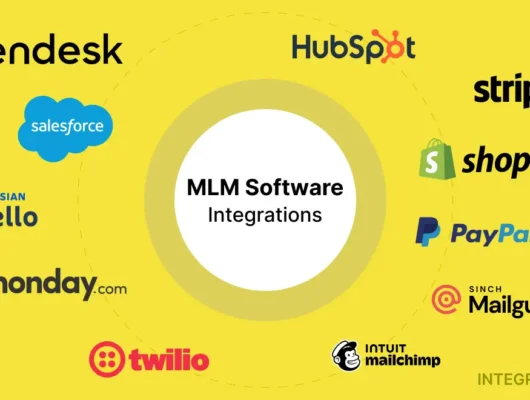
If you also need to connect your storefront, payment processor or CRM, see our full list of MLM software integrations.
Authentication and monitoring
QuickBooks Online authorizes apps with OAuth 2.0, using the Client ID and Secret Key from your QuickBooks developer app. You enter them once in the admin panel, or our team does it for you. After that, the admin panel shows the last sync time and status, and an admin can run a manual sync at any time.
Benefits of MLM software with QuickBooks integration
Less manual data entry and no reformatting: Instead of entering details in each system, or exporting MLM reports and reformatting them for your accounting tool and legal reporting, data arrives in QuickBooks already structured for it.
Improved data accuracy: Because the connection runs through an API, duplicate entries and manual typing errors drop sharply. Your financial records are more reliable, which matters at audit and tax time.
Time savings for your accounting team: Daily sales and payouts update on their own. Your accountants spend time analyzing numbers instead of preparing them, and financial processes finish faster. QuickBooks bookkeeping for network marketing becomes a review task rather than a data-entry task.
Better financial visibility: Business transactions and account records can be viewed and managed together in QuickBooks, which gives owners and finance teams a clear, current picture of the business.
Simpler reconciliation: Sales and payout figures from the MLM software line up with bank statements and payment gateway deposits, so reconciliation is faster and easier to defend.
Centralized, connected operations: Operations stay in the MLM software. Accounting stays in QuickBooks. A connected workflow links them, so each team sees what it needs without depending on the other.
QuickBooks compatible MLM software for every compensation plan
Our MLM software is developed with many commission plans in mind, and the QuickBooks integration is available for all MLM plans. Whether you run binary, unilevel, matrix or a hybrid structure, the same integration approach applies.
The core functionalities are already supported: customers, sales orders, payments, refunds and commission payouts. Before you go live, we check that your QuickBooks account is compatible and confirm exactly which data you need to sync. QuickBooks Online users connect with their Client ID and Secret Key. If you are not technically confident, our team handles the configuration on the QuickBooks side too.
Because the software is white-labeled and hosted on your server, the integration runs inside your own environment under your brand.
How to get started with QuickBooks integration for MLM companies
- Request a demo. Our software supports different commission plans. Request a demo for your own plan and see it working.
- Check QuickBooks compatibility and sync needs. Review your QuickBooks account and decide which data you need to sync. The core functionalities are already supported.
- Connect your account. To check live, ask our team to walk you through the admin panel, where you enter your Client ID and Secret Key. If it is not technically feasible for you, our team configures QuickBooks and connects it for you.
- Set data mapping and synchronization settings. Choose what to sync and how often.
- Test, then start your workflow. Run the integration test and begin using it in your daily accounting.
Why choose our MLM software with QuickBooks integration?
- Designed for MLM business management: The software was built around MLM operations and commission structures, and the QuickBooks integration exists to support exactly that business.
- Complete authority and flexible configuration: You decide which data is integrated between the MLM software and QuickBooks, and you can adjust the configuration as your accounting needs change.
- Scalable to large networks: The software has been tested on a live system with up to one million users, so your sync and your accounting workflow keep working as the network grows.
- Dedicated technical support: You do not need to be technical. Our team handles integration configuration, software deployment and security measures for you.
- Deployed on your own server: The software is served from your own server, so your business, customer and financial data stays safer and under your control.
- 100% white-labeled: There is no vendor logo or branding anywhere. Everything carries your own brand name and logo.
- One year of free support: Every plan and every software package includes one year of free technical support.
Frequently Asked Questions
-
How does the sync avoid duplicate entries?
The ID returned by QuickBooks is saved against each customer, order, refund and payout, so a record that has synced is not created twice.
-
How are refunds and cancellations handled?
Each one creates a refund receipt linked to the original customer, reversing the revenue and sales tax.
-
Does it sync inventory to QuickBooks?
No. The integration focuses on core financial events, sales tax compliance and 1099 payout tracking.
-
Does it sync daily commission calculations?
No. Only approved and released payouts are synced, so your books are not filled with daily micro-calculations.
-
Does it work with QuickBooks Online and every MLM plan?
You connect with your QuickBooks Client ID and Secret Key, and the integration is available for all MLM plans.